 Home
Home Share
ShareCheck Your AI Sources
December 2025 — Tip of the Month
In September of 2014 (yes, over 10 years ago ?), I published a tip titled Check Your Sources. I reminded PC.net users to verify their online information sources and ensure they were credible. That advice is even more relevant today.
When we ask AI platforms like ChatGPT or Google Gemini a question, it's easy to accept their answers as truth. Usually, the answers are accurate. But not always.
Remember: AI is not always right.

As advanced as modern language models have become, they still make mistakes. I have plenty of anecdotal evidence from my own experience, and maybe you do too.
Just recently, I asked Google if there was a SkyTeam airline that flew from Tokyo to Bangkok. Google's "AI Overview" recommended Japan Airlines (JAL).
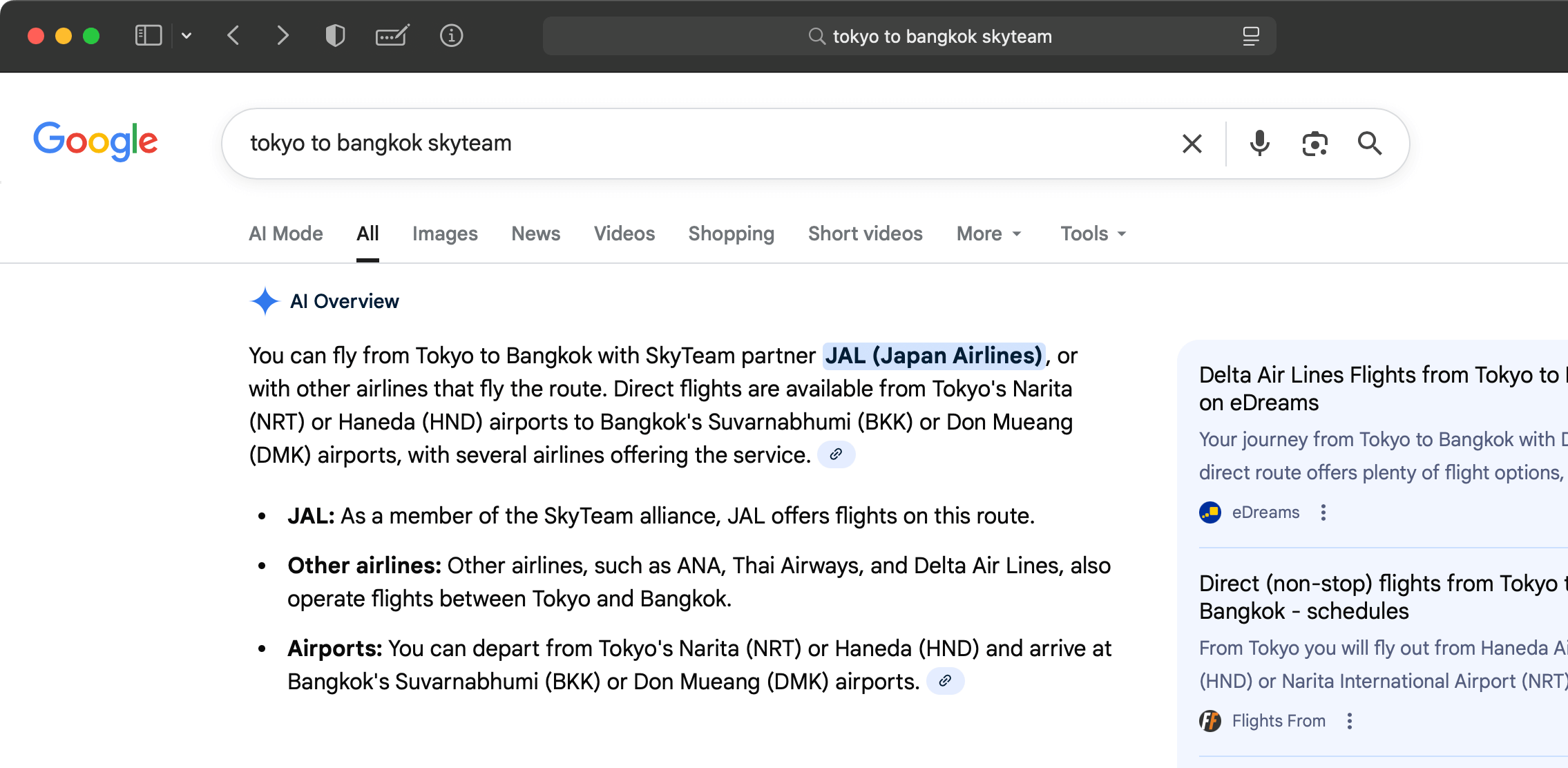
The answer surprised me, since I didn't think Japan Airlines (JAL) was part of SkyTeam. Sure enough, Google confirmed my suspicions with its next response.
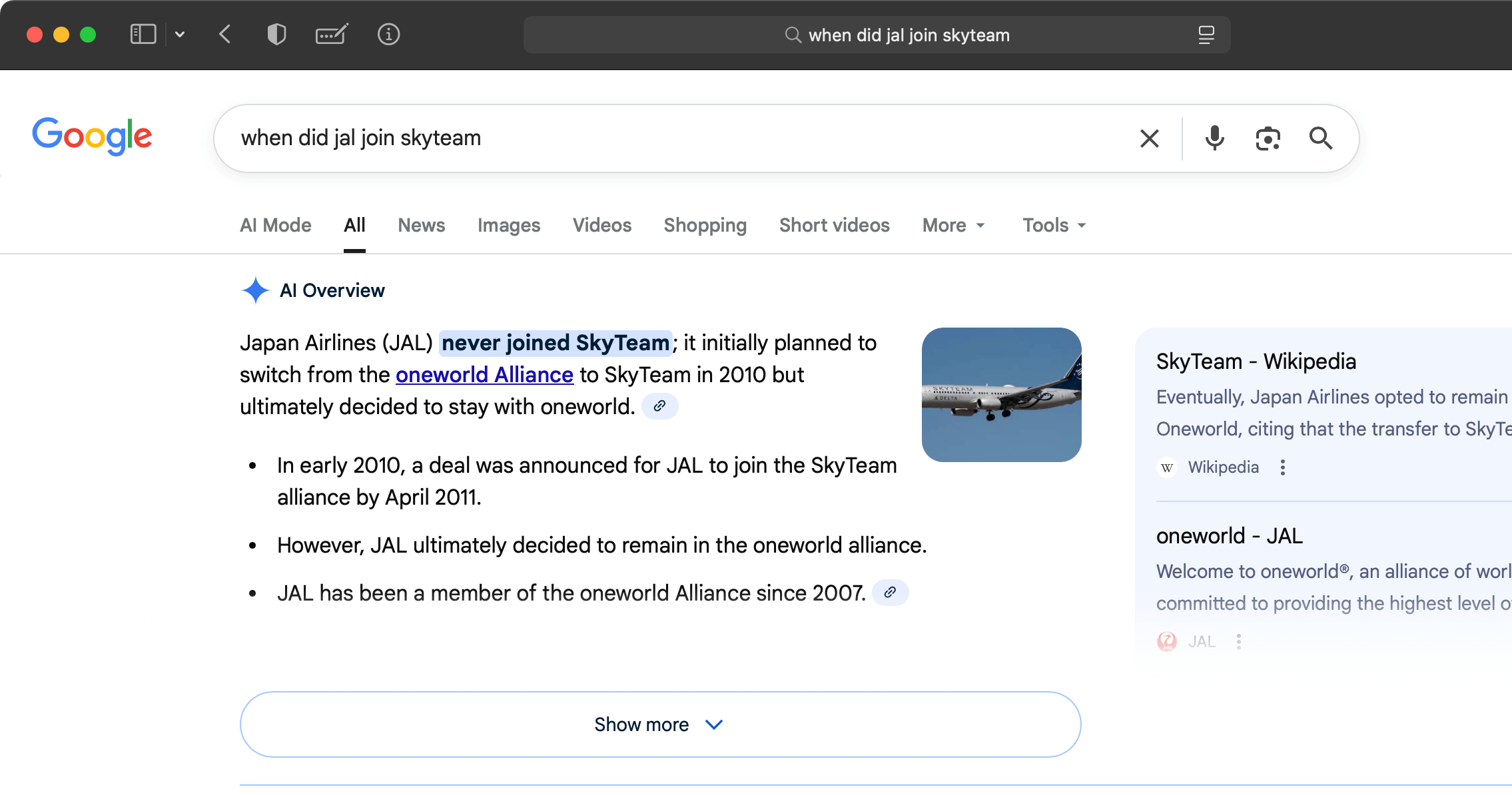
The information in the first AI Overview was completely wrong. I'm glad I asked a follow-up question and visited the JAL website.
I know it's a hassle to check sources for every question you ask AI. Even I don't ask for references when I want to know simple facts like the name of a band member or when a movie was released. But if the answer really matters (like when you're making vacation plans or writing a paper), make sure to:
- Ask for the source.
- Visit the website.
- Confirm the source is credible.
- Verify the information matches the AI response.
Following these steps will help ensure you get accurate information.
Important: When you discover an AI-generated answer is wrong, feel free to share the right answer with the bot. It will help train the language model with correct information, and you might even get a "thank you" in response. =)
 November 2025
