 Home
Home Share
ShareCheck Your Smartphone's Battery Health
November 2026 — Tip of the Month
Does it seem like your smartphone isn't holding a charge as long as it used to? You're not crazy; your battery performance might be fading.
As batteries age, they inevitably degrade. If that "low battery" notice is appearing more often on your phone, it might not be your usage patterns — the battery itself may simply be wearing out. Fortunately, both iOS and Android let you check your battery's physical health, which shows the maximum charge your battery can still hold.
iPhone
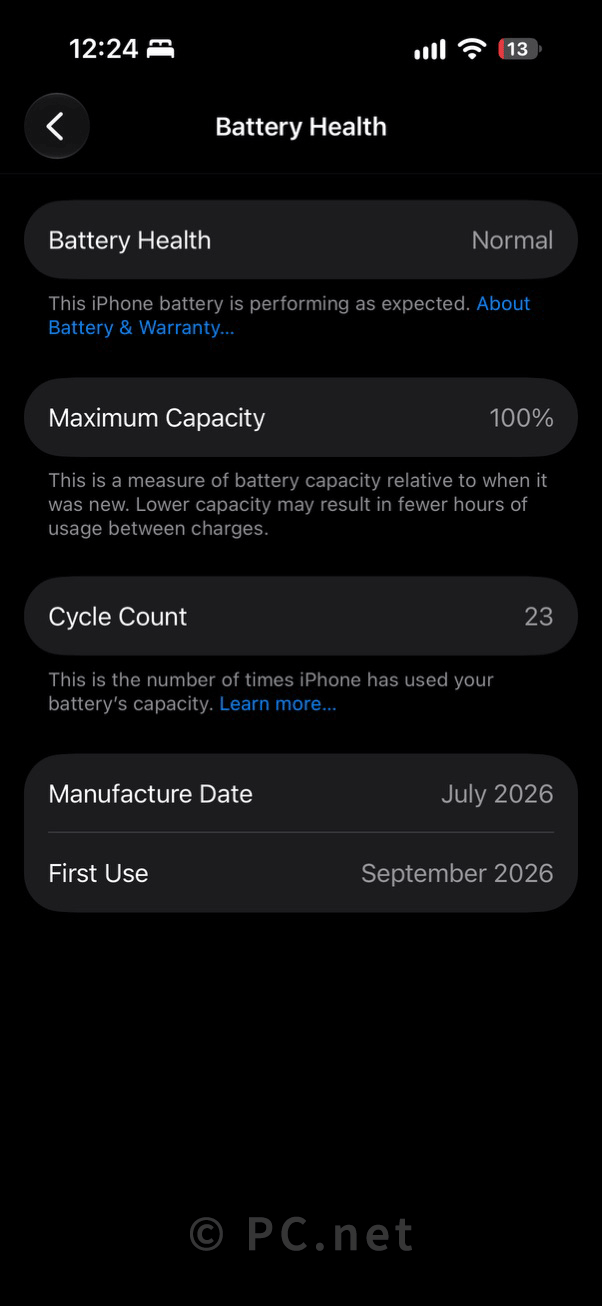
If you use an iPhone, locating the battery health information is pretty straightforward. Go to (or search for "Battery Health" to find the shortcut). There, you will see a "Maximum Capacity" percentage. A new phone will show 100%, like my new iPhone 18 Pro below:
If your phone is several years old, you'll probably see some battery degradation, like my old iPhone 15 Pro below:
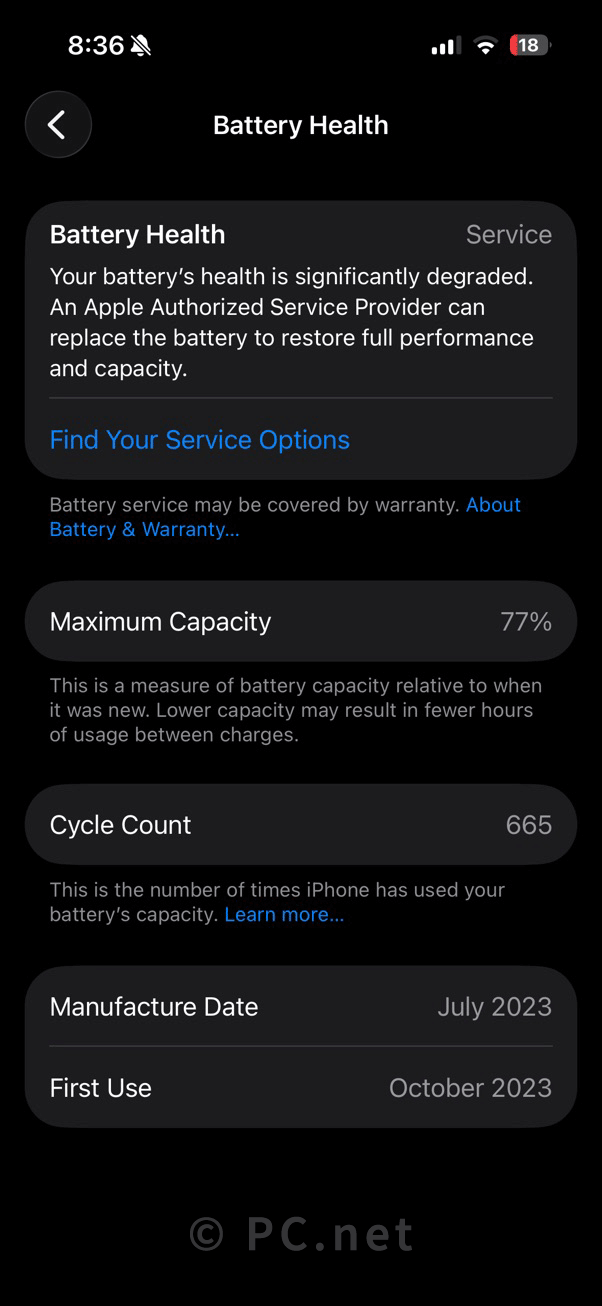
Apple considers a battery to be in good health if it stays above 80% capacity. Once it drops below that threshold, you will likely notice a significant drop in performance, and the phone may suggest a replacement, as you can see in the screenshot above.
▶ I ended up replacing the iPhone 15 Pro battery for $99 after two years. I used it for one more year with no battery issues, then bought an iPhone 18 Pro.
Android
Checking battery health on Android is slightly more fragmented because it varies by manufacturer.
- Google Pixel: On newer models (Pixel 8a and newer), navigate to to see your remaining capacity percentage.
- Samsung Galaxy: Open Settings, scroll to Device Care, and select Diagnostics. Tap Phone diagnostics and select Battery status to view your battery's overall condition rating. Other Android Devices: If your phone lacks a built-in menu, download a trusted third-party utility like AccuBattery from the Google Play Store. Because Android doesn't track historical capacity out of the box, you will need to leave the app running for a few days. It will monitor your active charge cycles and estimate your battery's health accurately.
If your battery capacity has deteriorated to the point where you notice it every day, consider a factory battery replacement (like I did for my iPhone 15 Pro) rather than replacing the entire device. It's a cost-effective way to get a few more years out of your phone.
 October 2026
